Professional AI filmmaking system · Built by professionals

Professional system for AI films

Write the script, cast your characters, generate every shot with the best models, voice it and cut the episode. An agent does the routine and runs whole chains of steps; you approve every paid step.

AI models
50+
Production types
10
Video resolution
4K
The lead character turns back on a misty bridge at dawn
EP 04 · SC 019:16
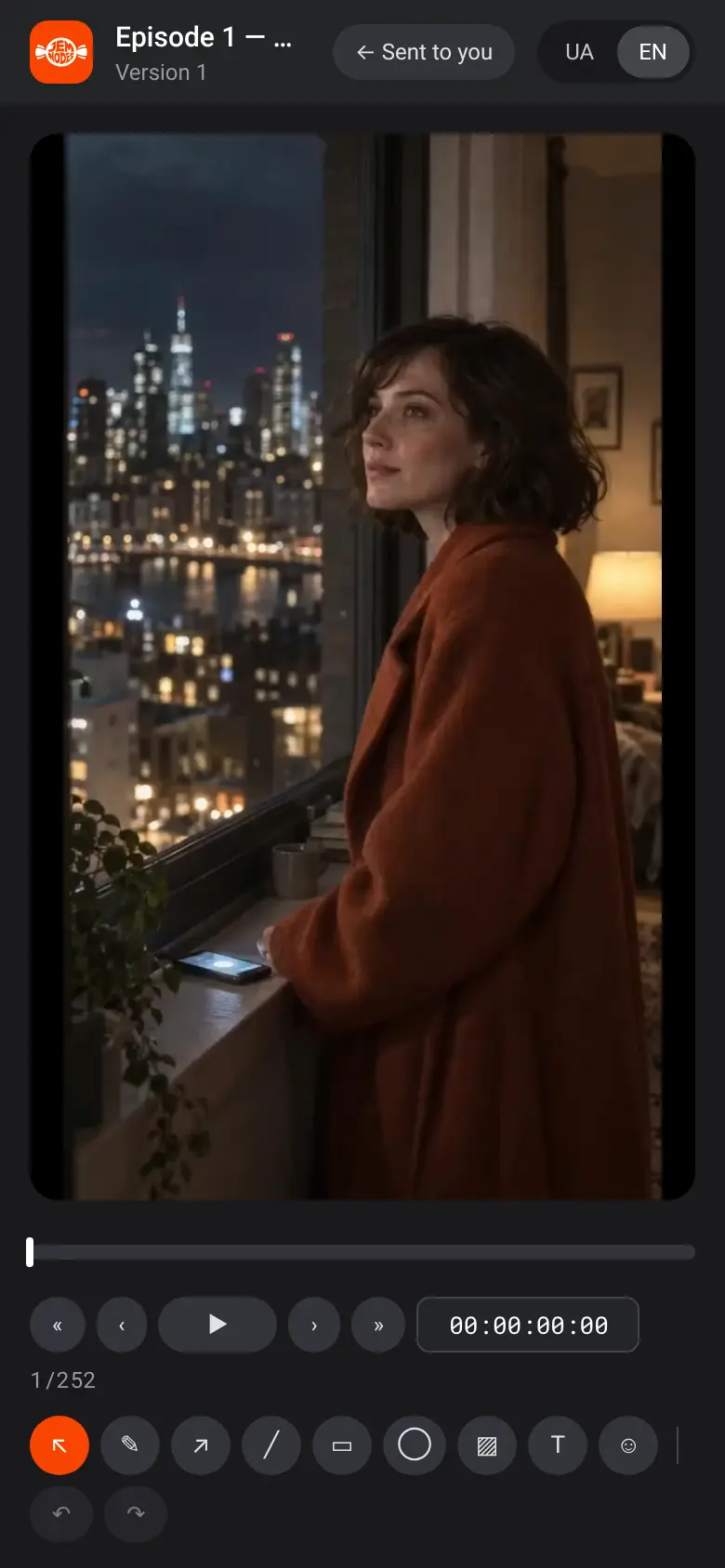
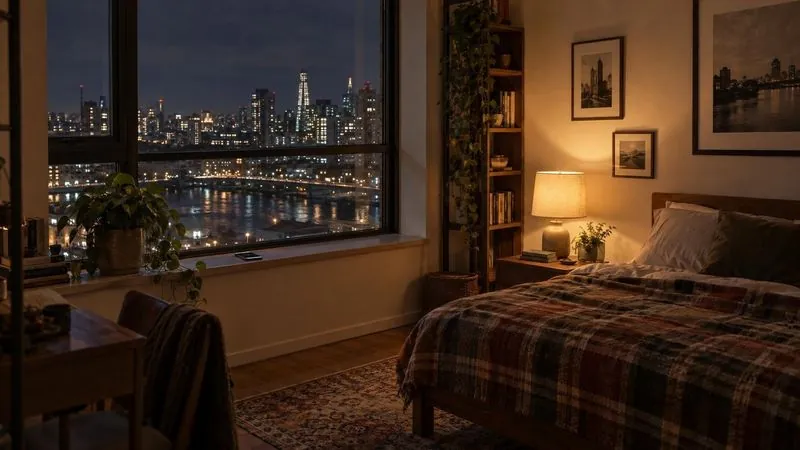
The lead character at her apartment window at night, the city lights below
Take 3EP 01 · SC 01
Approved
Kling 4.09:16 · 5 s
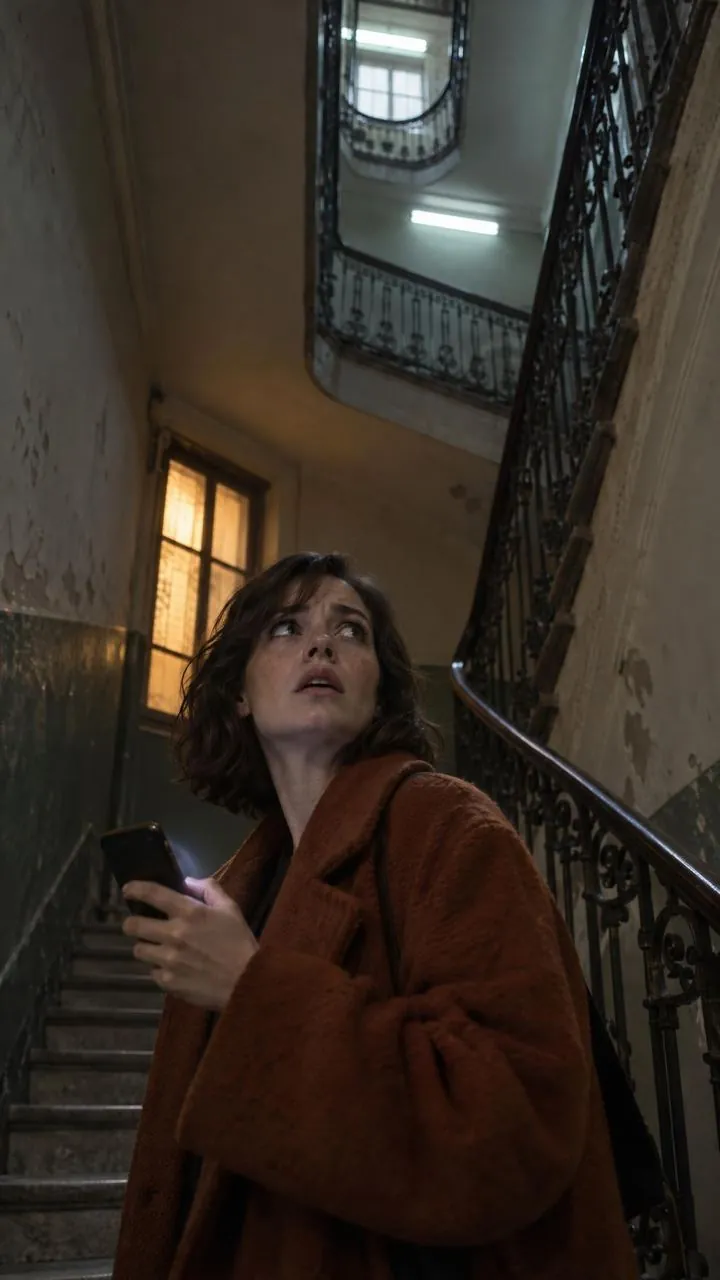
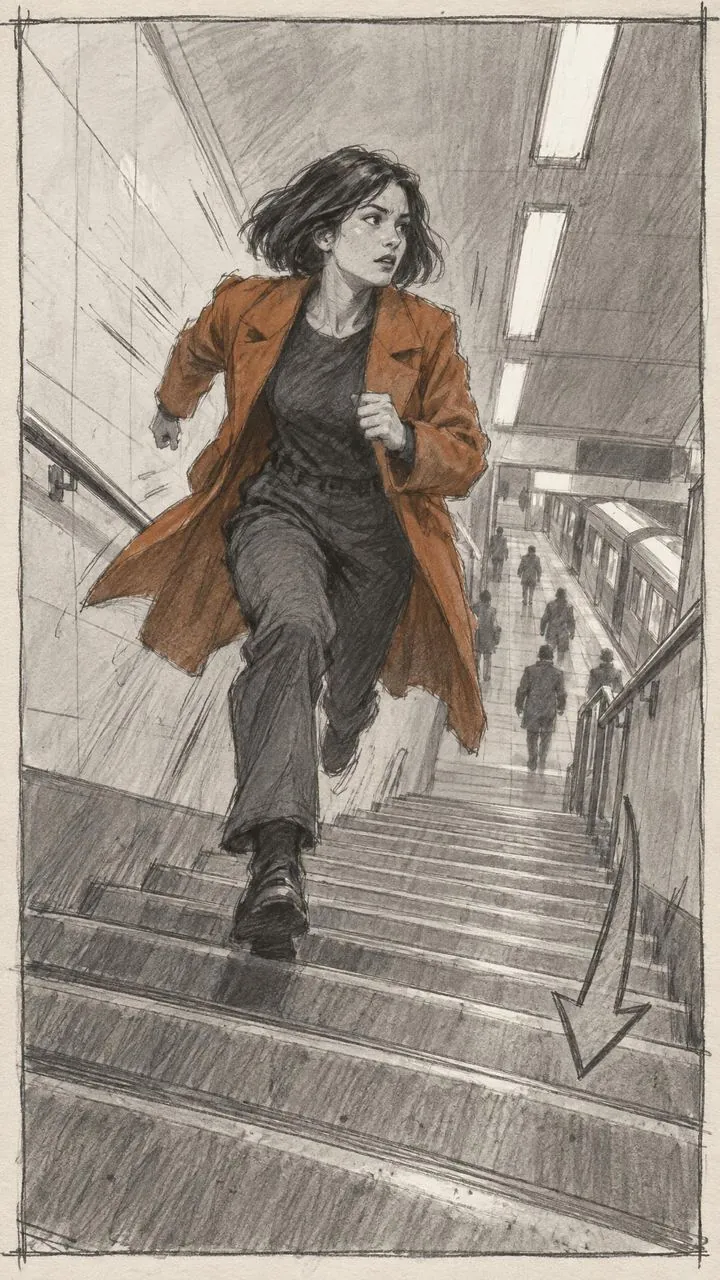
The lead character in a stairwell, looking up in alarm: the episode cliffhanger
EP 02 · Cliffhanger9:16
Agent

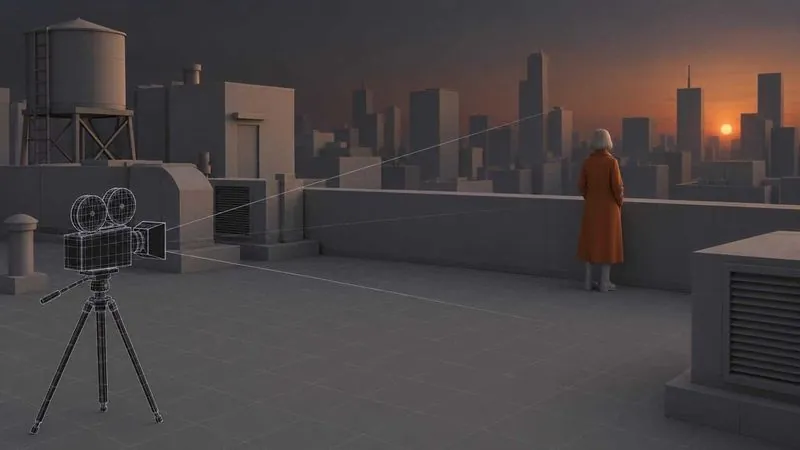
Shot 5 is ready to generate: Maya on the rooftop at dusk, 9:16.

Seedance 2.0 · 5 s · 720p · ≈ $0.76

One project. Every tool you need.

Image, video, voice, the edit and production management in one place, so nothing gets lost between apps.

Every tool, ready to go

Image, video, voice, music and lip-sync from 50+ models in a simple form: pick a model, describe the shot, see the price, generate. Start with a cheap 480p draft and finish the good take in 1080p, in Easy Mode, on the canvas or through the agent.

A generated image of the lead character on a rooftop at duskImage generator
A video frame: the lead character on a bridge at dawnVideo generator
A lip-sync shot: the lead character on the phoneLip-sync
Voice

Your whole production on one node canvas

Chain frame, video and edit, branch ideas, compare versions and keep the whole history. Hand the result to Slate or Montage in one click.

One place, whole team

Roles, tasks and frame-accurate review in Slate. The client approves a take by link, from a phone, without an account.

Client review on a phone

Final cut, ready for every platform

Render an MP4 for TikTok, Reels, Shorts or YouTube, or open the cut in DaVinci, Premiere, Final Cut or CapCut.

For commercials

Upload a reference video: JemNodes splits it into shots, describes its style and proposes concepts for your brief, each with a cost estimate. The product comes from the client's own photos.

  1. 01

    Reference

    A reference video uploaded to the Biblereference.mp40:30

    Any ad you like, as a video file.

  2. 02

    Shots

    0:00
    0:03
    0:07
    0:12
    0:18
    0:24

    Split into shots with framing, camera and timing.

  3. 03

    Style

    • Warm practicals, one orange accent
    • 35 mm, shallow focus, film grain
    • A cut every 1.5 s
    Take the style

    Light, colour, lens and pace go into the Bible.

  4. 04

    Concepts

    A · Morning ritual30 s · 9 shots · ≈ $14
    B · The city wakes up15 s · 6 shots · ≈ $9
    C · One cup, one day30 s · 11 shots · ≈ $18

    Concepts for your brief, each with a cost estimate.

The product: a rust-orange ceramic travel cup, from the client's photosProduct · client photos
Concept B: Maya at the window at dawn holding the cupHook in 3 sConcept B · last shot9:16

Your product, exactly as it is

Add the product to the Bible from the client's original photos, with a list of what may and may not be said about it. Ad checks make sure the hook lands in the first 3 seconds and the product closes the spot.

Reference → shotsTake the styleConcepts with a priceProduct from client photosHook & product checks
Nodes · real workflows

Chain nodes into the film you actually ship.

Every node does one job and hands its result to the next. Five chains from a real production, from one line of script to a rendered episode.

One prompt, a finished shot.

Pull Maya and the apartment from the Bible by @name, generate the frame, then bring it to life.

Character@maya
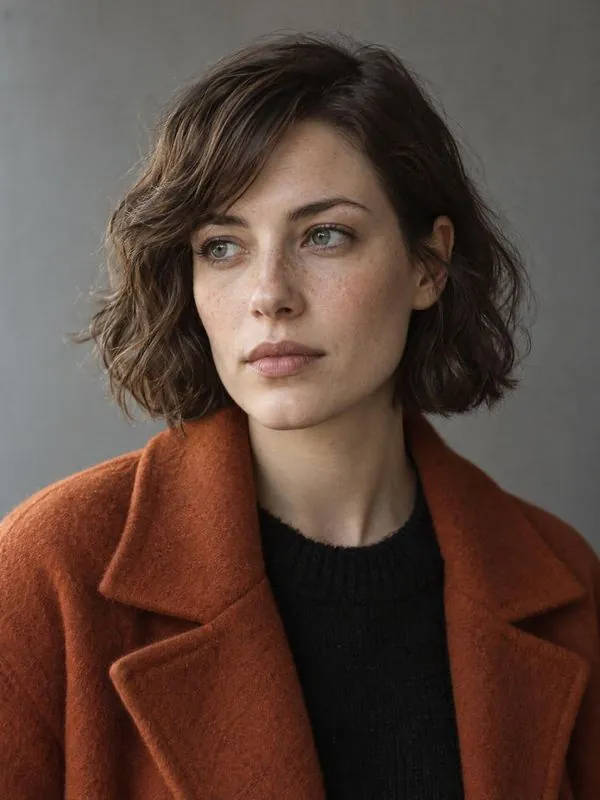
Maya, the lead character, from the Bible
Location@apartment
The apartment location
Nano Banana Pro
The generated frame: Maya at the window at night
Image · 9:160 s
Kling 4.0
The same frame as a 5-second video
Video · 5 s0 s
Screenwriting

A writers' room for mini-dramas, series, films and commercials.

The agent writes with you, not instead of you. It develops the concept, builds the characters and their arcs, plans the season and checks every scene against the craft of 10 screenwriting books.

9:16

Mini-dramas & vertical series

A hook in the first seconds, 10 hook types that rotate from episode to episode, the episode grid, cliffhangers and genre tropes, with dialogue written for a phone screen.

S1–S3

Series

A season plan: arcs across episodes, turns, setups that pay off later, what each episode owes the season, and how much of the arc it may spend.

90 min

Feature films

Structure, a causality check scene by scene, what drives each scene, setups and payoffs across the film, and a world card with its rules and their price.

15–60 s

Commercials & trailers

A genre story with the product at the heart of the twist, 15, 30 and 60-second versions, the hook and the packshot, and trailers that build up to the title.

Maya, the lead character
MayaCharacter story · lead
Wants
to find out who sent the photographs
Needs
to stop running from her family
Fears
that she was the reason they left
Secret
she opened the first letter a year ago
Lie
“I don't need anyone”
Own prop
the old photographs
EP 01 · aloneEP 06 · lets him inEP 12 · goes home
Agent's notesEP 05 · draft 2
  • Cold read: the concept retells in three sentences
  • Hook: a new type, a false accusation, lands at 0:02
  • Scene 4 does not follow from scene 3: why does she go back?
  • The letter set up in EP 02 is never paid off
  • Two of the Stranger's lines sound like Maya
  • Screen time: 88 s of 90
Concept & cold readCharacter arcsSeason planSetups & payoffsVoice checkIndependent review312 craft techniquesGenre tropesWord export

Idea to final cut, inside one project

Every stage hands its result to the next. Characters approved in the Bible appear in the storyboard, approved shots land on the timeline.

  1. 01

    Script

    Story, episodes, dialogue; drafts and reviews from the agent

  2. 02

    Characters

    Looks and voices kept in the Bible

  3. 03

    Storyboard

    Scenes, shots and 3D previz

  4. 04

    Generation

    Image, video, voice, music, lip-sync

  5. 05

    Production

    Tasks, review, client links

  6. 06

    Editing

    Timeline, sound, platforms, export to DaVinci

  7. 07

    Promo & release

    Trailers, teasers, dubbing; pitch next

Inside JemNodes

This is what the workspace looks like

Screenshots of JemNodes with a demo project: the canvas, Easy Mode, the Bible, Slate and Montage. Scroll to walk through them.

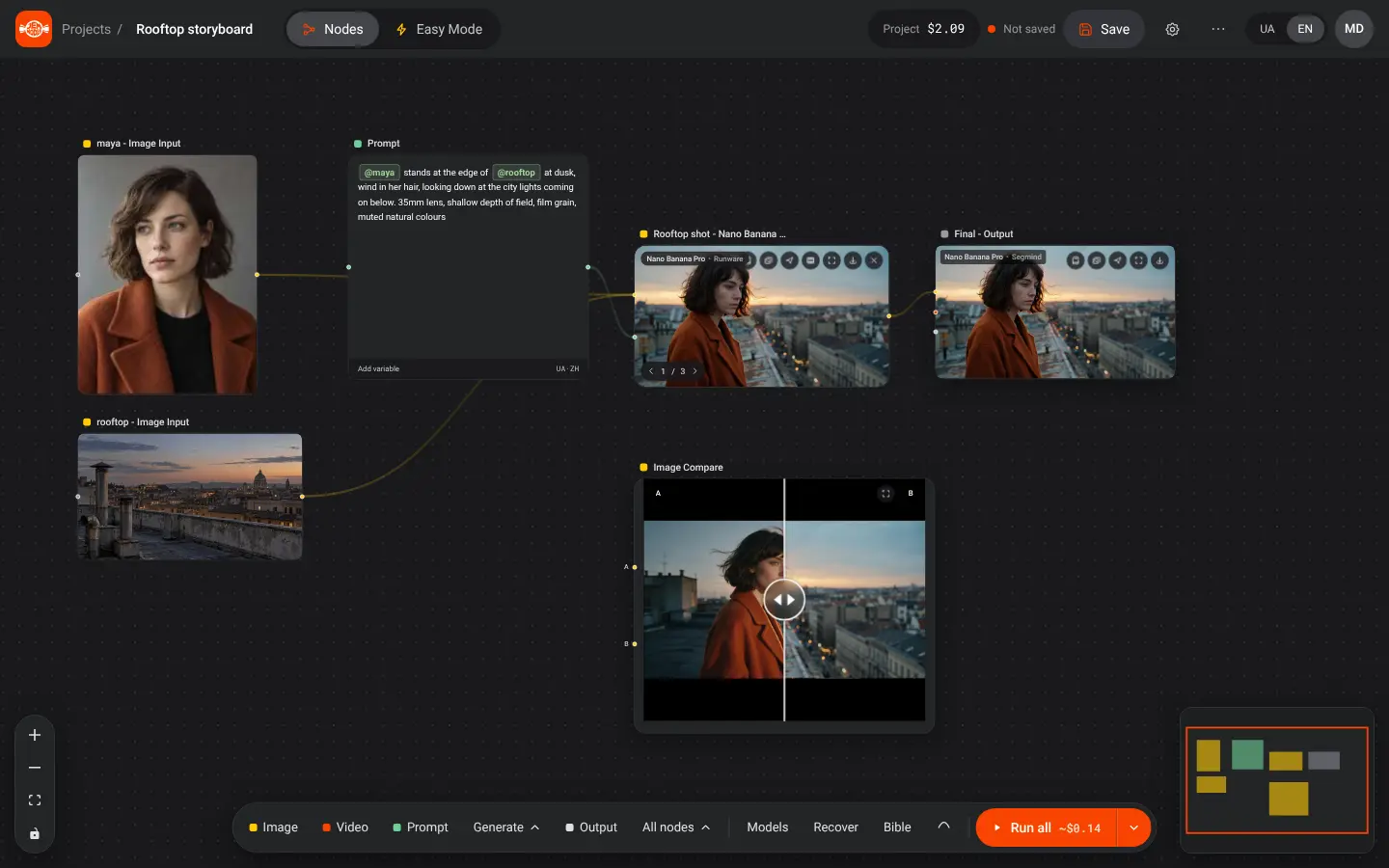
Canvas · Nodes
The node canvas: image, prompt and video nodes connected into one workflow
Node canvasChain generations: frame → video → edit. Each node does one job, the result flows to the next.
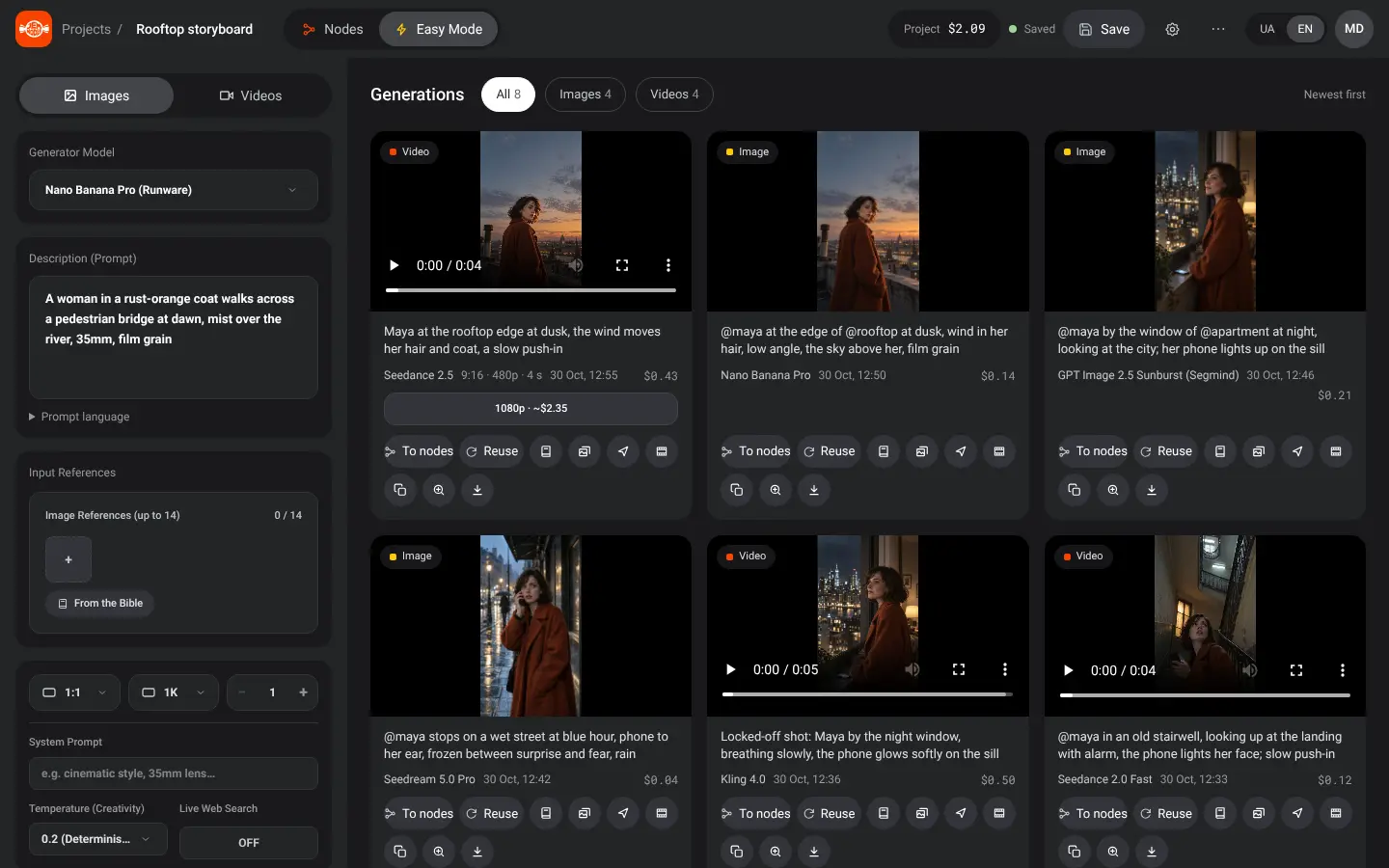
Easy Mode
Easy Mode: a simple form with a model, a description and a Generate button, and the generation history
Easy ModeA model, a description, references, Generate. Images, video from a frame, lip-sync.
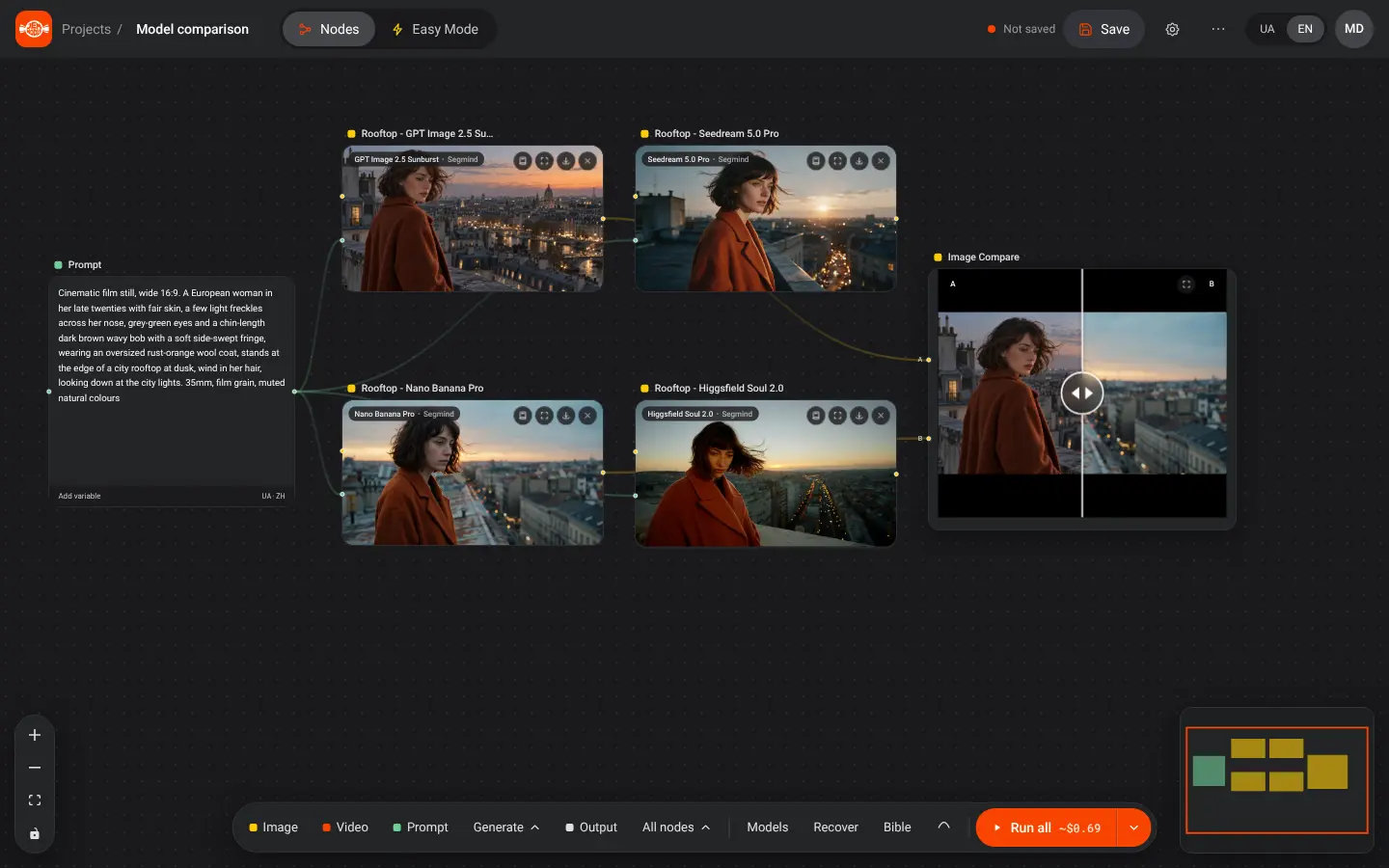
Image Compare
Two models run on the same prompt, results compared with a slider
Model comparisonOne prompt into several generation nodes; compare two results with a slider.
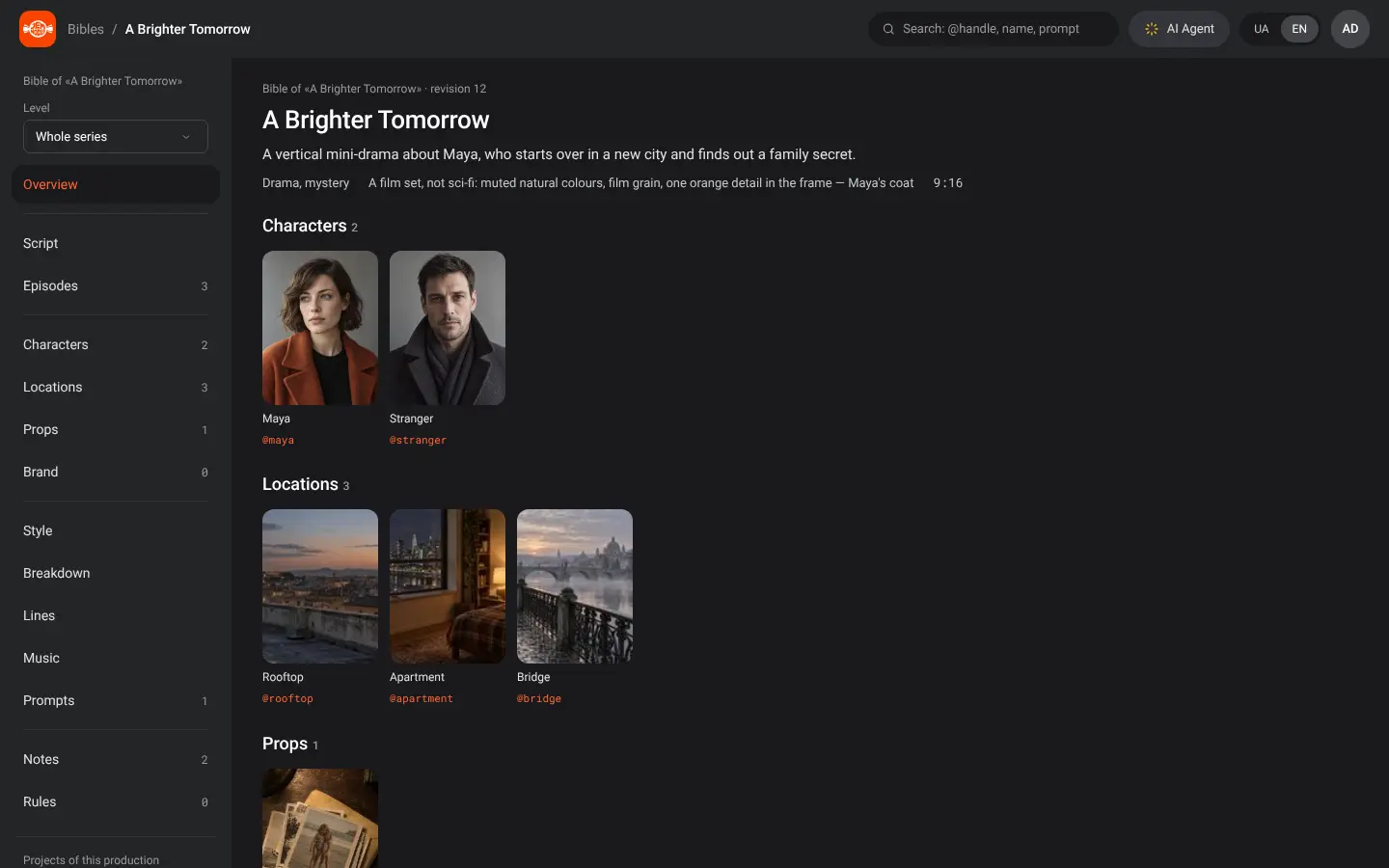
Bible
The project Bible with characters, locations and props
Project BibleCharacters, locations, looks, props and prompts in one place.
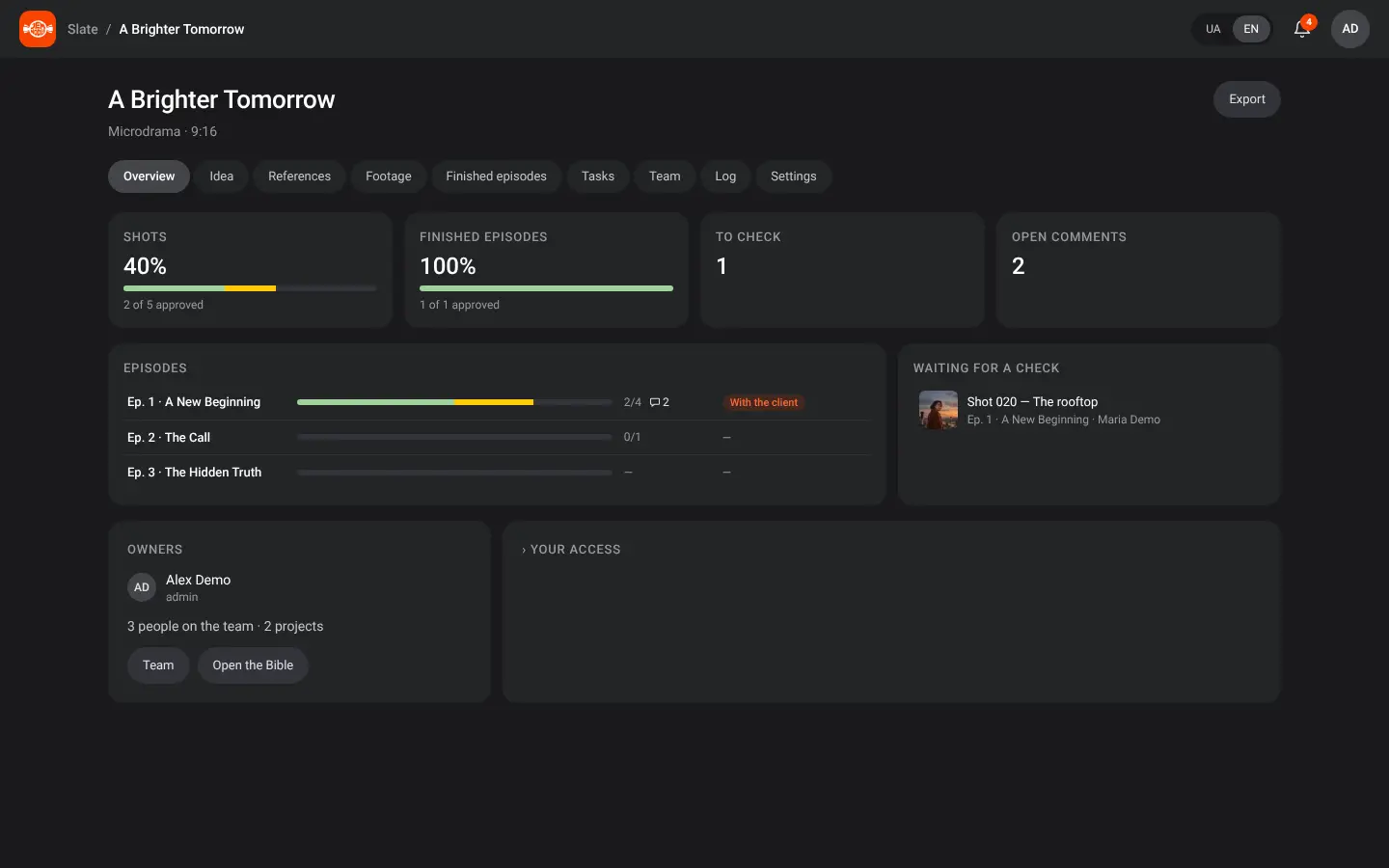
Slate
Slate production overview: progress by episode, tasks and reviews
SlateShots by episode, finished episodes, tasks, team and production export.
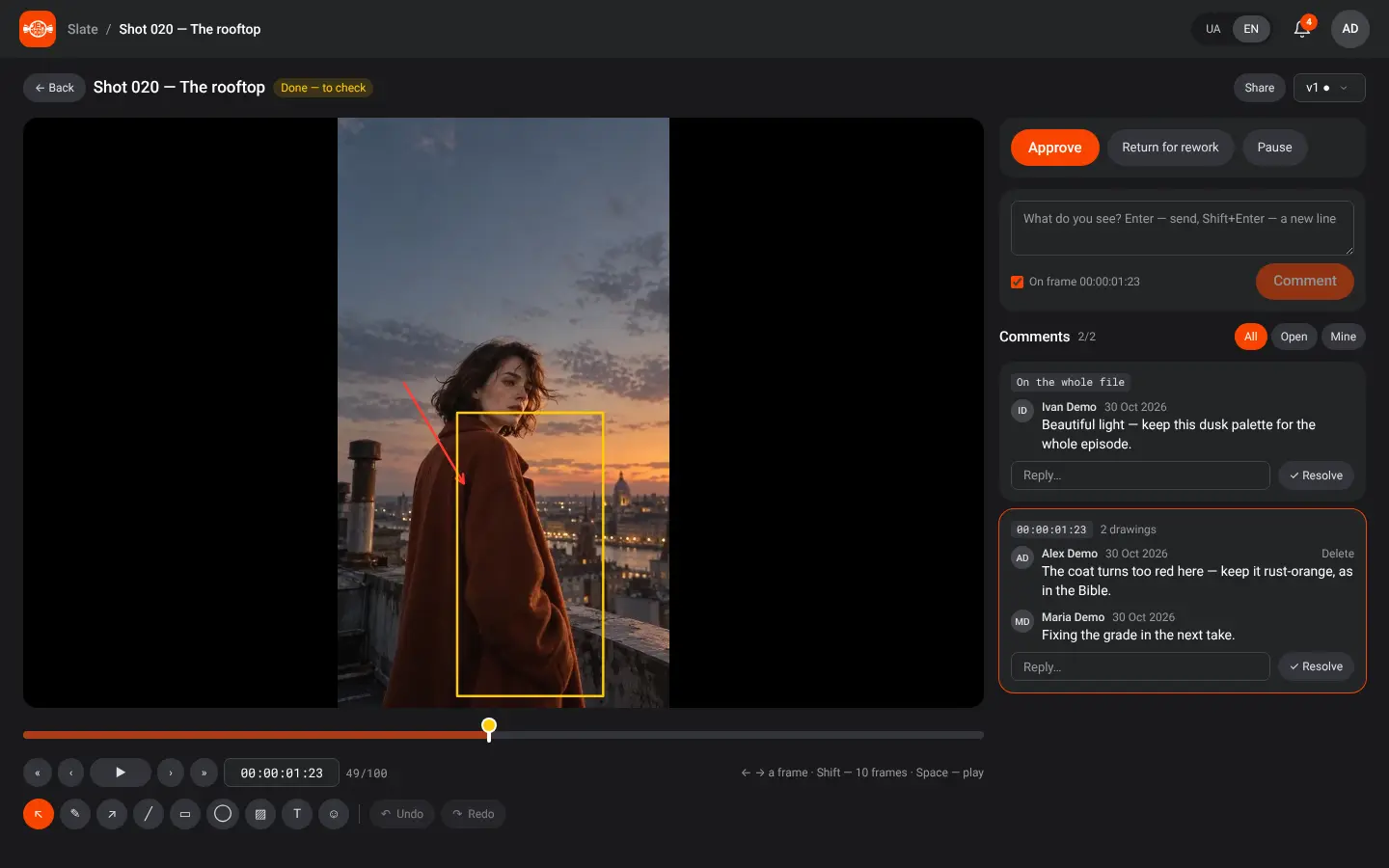
Review
Reviewing a shot with comments and a verdict
Review a takeComments on a frame, approve or send back, version history.
Client review on a phone: the client watches the episode and approves it
Client review on a phoneShare by link; the client approves from their phone.
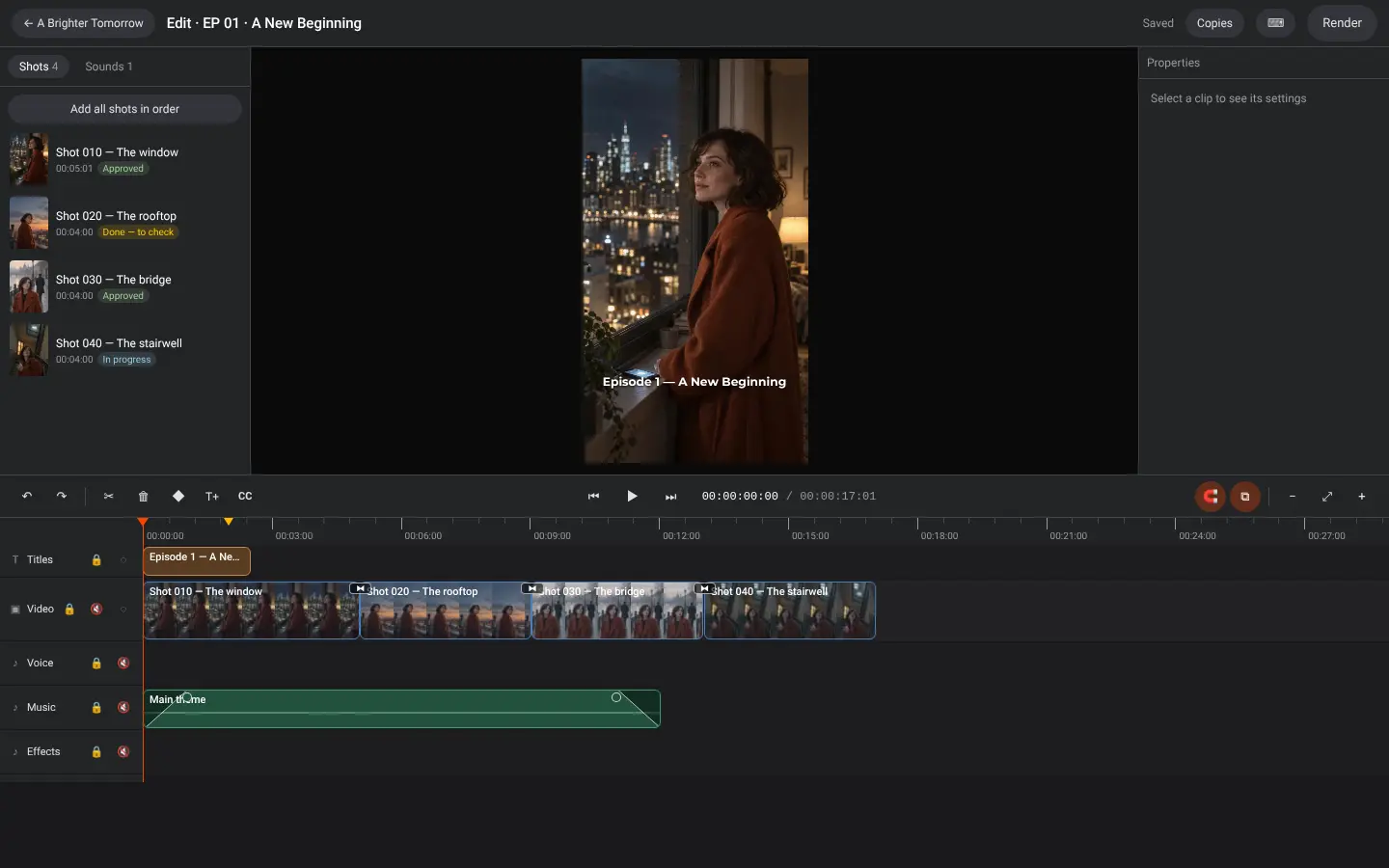
Montage
Montage: the episode on a timeline with video, titles and sound tracks
MontageTimeline, titles and subtitles, sound; render for the platforms or export to DaVinci, Premiere and CapCut.

Everything a production needs, nothing it doesn't

Nine workspaces built around how films, series and commercials are actually made. Open the one you need; the rest of the project stays connected.

Create whole series, not single clips

Pick a production type: mini-drama, series, short or feature film, documentary, commercial, UGC, trailer or music video. JemNodes sets the format, the brief and the rules for it. A mini-drama gets 9:16, episodes of 1–3 minutes and checks for hooks and cliffhangers.

10 production types9:16 verticalEpisodes & seasonsHooks & cliffhangers
A Brighter Tomorrow · Season 112 episodes · 90 s
Episode 1: Maya at the apartment window at night, her phone lights upApprovedEP 01
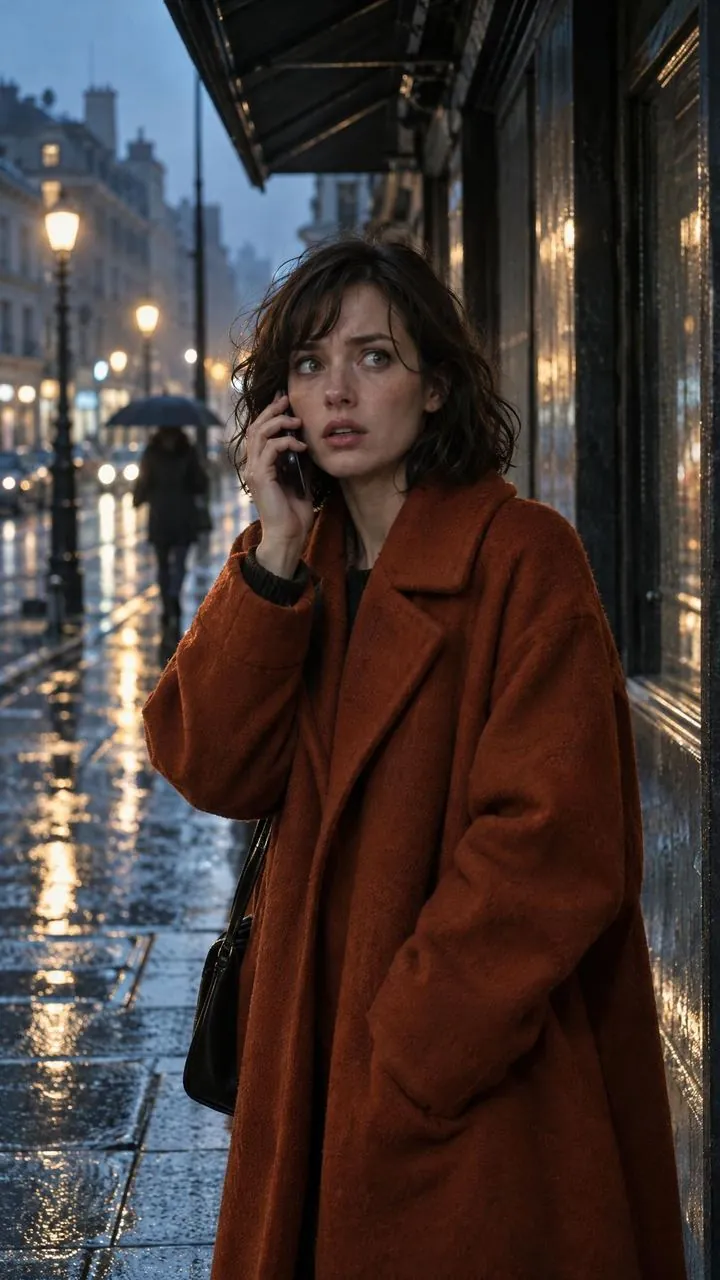
Episode 2: Maya takes an unexpected call on a wet streetApprovedEP 02
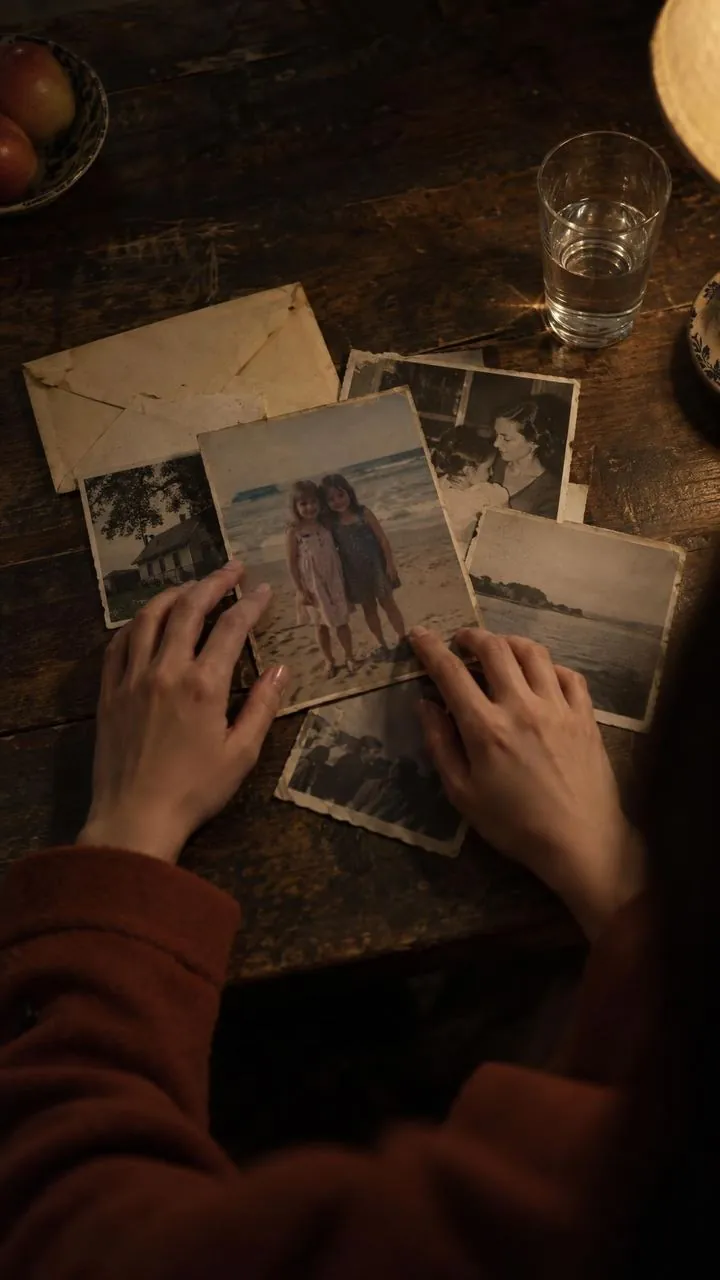
Episode 3: hands spread old family photographs on a kitchen tableApprovedEP 03
Episode 4: Maya turns back on a bridge at dawnApprovedEP 04
Episode 5, in the edit: Maya on a rooftop at duskIn editEP 05
Episode 6 as a pencil storyboard: Maya runs down metro stairsStoryboardEP 06

Small stories. Big emotions. One production system from the first idea to the final cut.

Agent Live

Tell the agent what you need. Approve every paid step.

The agent sits in a panel on every screen. It knows your Bible, your production and what is open in front of you, and it asks for your “Yes” before every paid step. One “Yes” can run a whole chain, such as reference sheets for every person in a crowd, with Stop and Undo all.

  • Keeps the Bible and the rules of your project
  • Develops concepts, characters and their arcs; writes and reviews scripts, plans seasons
  • Watches video, listens to audio and searches the web
  • Builds a 3D previz from a description or a photo
  • Picks the model, checks the prompt and shows the price
  • Runs chains of steps after one “Yes”, with Stop and Undo all
  • Voices lines, adds music and sound, cuts and renders the episode
  • Makes promo kits and checks them for spoilers
  • Works in Slate and writes producer reports
  • Remembers decisions between conversations and takes voice input
  • Every action can be undone; one paid action has a spending limit
AgentA Brighter Tomorrow · EP 07
Break episode 7 into shots and make the first frame.
Episode 7: 4 scenes, 14 shots. Shot 1 is Maya on the night tram, 9:16. Maya is taken from the Bible.Nano Banana Pro · 1 image · 2K · ≈ $0.15Yes, generate
Yes
The generated first frame: Maya on the night tramDone. Saved to shot 1.1 of 14 shots

Manual Available

Full control over nodes, models and every parameter of a shot.

With the agent Available

Direct step by step with AI. Review, edit and approve every stage.

Chains Available

One “Yes” runs a whole plan of paid steps. Stop it at any moment or undo everything it did.

MCP

Bring your own Claude or ChatGPT. Through the JemNodes MCP server your own assistant works in JemNodes on your behalf: reads the Bible, writes scripts, changes canvases and the cut, plans shots in Slate. Paid steps are still confirmed in JemNodes.

Join the waitlist Early access opens to the waitlist first.

50+ models for image, video, voice, music and lip-sync

Connected through nodes on one canvas, with the price shown before every run and the real cost of every generation recorded. New models arrive as soon as they are released.

Image · Video · Video edit · Voice · Music · Lip-sync

Growing step by step

The first three stages already work in the product. The next one arrives release by release, on the way to AI-directed filmmaking and global distribution.

Stage 1Live

Production core

Node canvas and Easy Mode, 50+ models, Project Bible, Slate, Montage with export to DaVinci and Premiere, analytics, team and client review.

Stage 2Live

Professional filmmaking

10 production types, screenwriters for series, films and ads, scene and shot breakdown, 3D previz, director's style, voices and music, promo.

Stage 3Live

Intelligent production

The agent on every screen with chains of steps, memory and video understanding; the MCP server; look lock and continuity checks; style and concepts from a reference.

Stage 4Next

Global production & distribution

Full auto from a brief to a finished video, pitch packages and distribution, localization of whole episodes, studio solutions.

Learn while you create. Then take it to buyers.

Guides are built into the product, and JEM University teaches the craft. Promo is already here; the path to buyers comes next.

Guides and JEM University

Step-by-step guides in English and Ukrainian with real screenshots, right inside the app. Beyond the app, JEM University, our own learning platform, teaches creators and directors cinematic practice and how to make vertical series.

  1. Getting startedGuide
  2. Canvas and nodesGuide
  3. Easy ModeGuide
  4. Bible, Slate and MontageGuide
  5. Cinematic practiceJEM University
  6. Making vertical seriesJEM University

Pitch, localize, distribute Next

Trailers, teasers, social cuts and dubbing already work. Next: a pitch package from your project materials, submissions to streaming platforms and distribution partners with tracked responses, and multilingual versions of whole episodes.

A metro passenger watching a vertical drama episode on a phone
Pitch deckLoglineSynopsisSeries bibleKey artSubmissionsLocalization
Questions

What people ask before they start

What is JemNodes?

A professional production system for AI films, series, mini-dramas and top-tier commercials, built by a team that makes them. A node canvas and Easy Mode for generation, a Bible that keeps the world consistent, Slate to run the production, Montage for the edit, and an agent that helps at every step.

Which AI models can I use?

50+ models for image, video, video editing, voice, music and lip-sync, including Seedance, Kling, Wan, MiniMax, Nano Banana, GPT Image, Seedream, FLUX, Gemini Omni, OmniHuman, ElevenLabs, Higgsfield Soul and Sync.so. New models arrive as soon as they are released.

How do I keep the cost under control?

You see the price before every run, and the real cost of each generation is recorded in the project and in the history. Analytics shows the spend by day, production, project, model and person. The agent asks for your “Yes” before every paid step or chain, and one paid action has a spending limit.

Will a character look the same from shot to shot?

That is what the Bible is for. Characters, looks, locations and prompts go into a generation as references by @name; an approved look goes word for word into every prompt, and continuity and who-is-in-frame checks run before each generation.

Can my team and my client work in it?

Yes. The team works in one production with roles and tasks in Slate, and the client reviews scenes by link, even from a phone and without an account. A canvas is edited by one person at a time; the rest see it live.

Can I use my own Claude or ChatGPT?

Yes, through the JemNodes MCP server. Your assistant works in JemNodes on your behalf, and paid steps are still confirmed in JemNodes.

Can I make commercials, not only series?

Yes. Upload a reference ad, and JemNodes splits it into shots, takes its style and proposes concepts for your brief with a cost estimate. The product comes from the client's own photos, and ad checks make sure the hook lands in the first 3 seconds and the product closes the spot.

Can I finish the edit in DaVinci or Premiere?

Yes. Export the cut to DaVinci Resolve, Premiere Pro or Final Cut (FCPXML, OTIO, EDL) or as a CapCut draft, with the original clips and subtitles, and bring the edited timeline back into JemNodes.

Which languages does it support?

The interface and the guides are in English and Ukrainian.

How do I get access?

Join the waitlist below and we'll write to you about early access.
Who builds it

Built by production professionals

JemNodes comes from the team behind JemAds.ai. We make commercials and films with AI, and the platform is the workflow we use ourselves.

Team
JemAds.ai, an AI production agency with international experience in advertising, directing, television and video production.
Learning
JEM University, our own learning platform where creators and directors learn cinematic practice and how to make vertical series.
For
AI production studios, mini-drama creators, directors and filmmakers, agencies and brands, professional AI creators.
Formats
Mini-dramas, series, short and feature films, documentaries, commercials, UGC, trailers and music videos.
One story. One production system.

AI filmmaking without the chaos

Join the waitlist for early access, or tell us you'd like to partner or invest.

We use your email only to write to you about JemNodes early access. Privacy policy